Why doesn't the app work on my IPhone?
There is a significant difference in Web Push Notifications on IOS/IPadOS. There are limits from Apple regarding Web Push Notification support for iPhone and iOS
Only supports IOS/iPadOS greater than or equal to 16.4
Only recently, Apple has started supporting Web Push Notifications on the latest IOS/iPad OS versions. Accordingly, Web Push Notifications are only supported on devices running OS version ≥ 16.4
How to activate Web Push Notifications on iPhone/ iPad
There are many differences in how to enable Web Push Notification on IOS.
To enable Web Push on iOS, you must add your store to your Home Screen as a mobile app.
Follow these steps:
- Open your store in Safari/Chrome browser running on iOS 16.4 or later
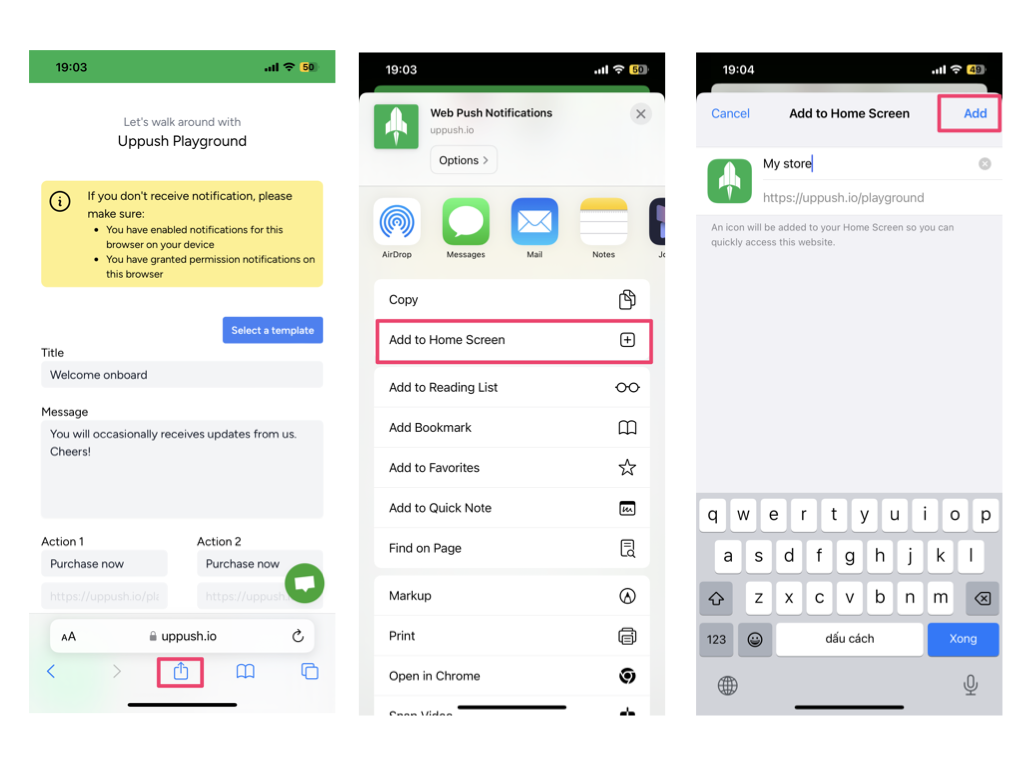
- Click on the “Share” button to open the share menu
- Click on the “Add to Home Screen” option
- Edit the app name and save the app on your Home Screen
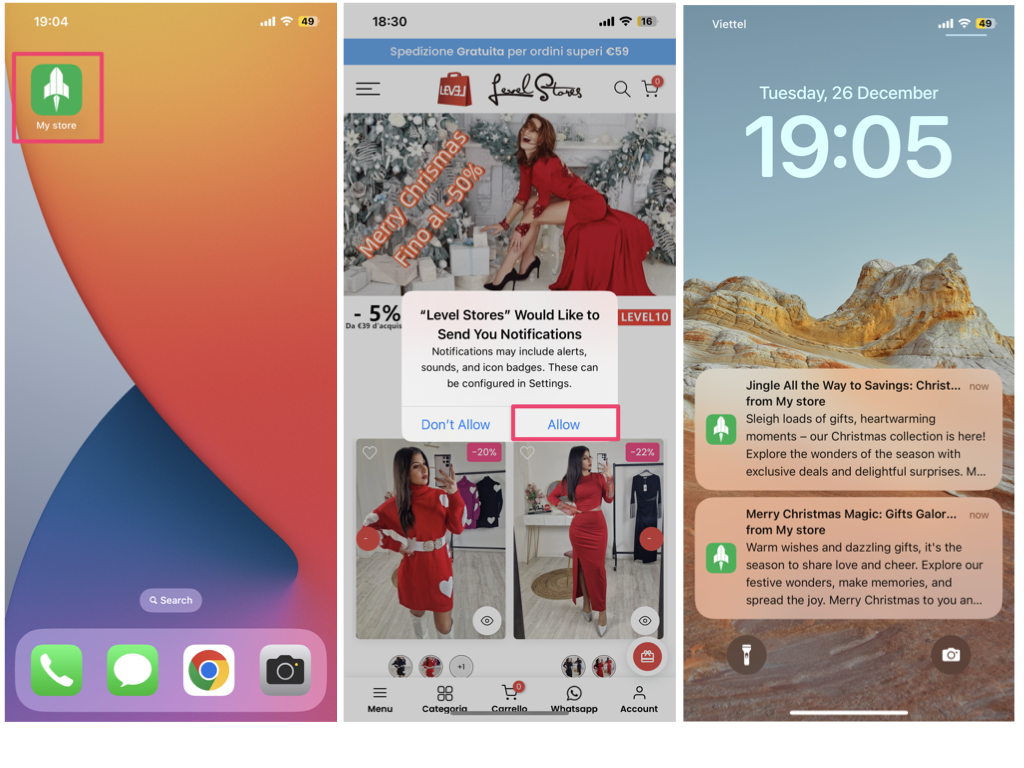
- Open the app you just added
- Click allow in the pop-up window
- Done