
This guide is outdated
Automations have been replaced by Flows — a new builder with more useful features: web push and email in one journey, your own timing, conditions and A/B tests, 33 ready-made templates and detailed reports. Your automations were converted into flows automatically.
Read the up-to-date guide: Abandoned checkout recovery
Abandon checkout recovery
The email automation works for any customer that leaves their email address at checkout. The web push automation only works for web push subscribers.
Similar to Shopify's abandoned checkout email, we do offer the option to send notifications for people that access the checkout page without placing their orders.
For Web push notifications: Like any other web push automation, the customers need to be subscribers in order for us to send them anything
For Email notifications: Your customers need to leave their email address at checkout, and the abandoned checkout is created on Shopify admin. Our app uses this event to trigger the automation for email
Steps to set this up:
- Go to Automation tab, and toggle this icon to enable the automation
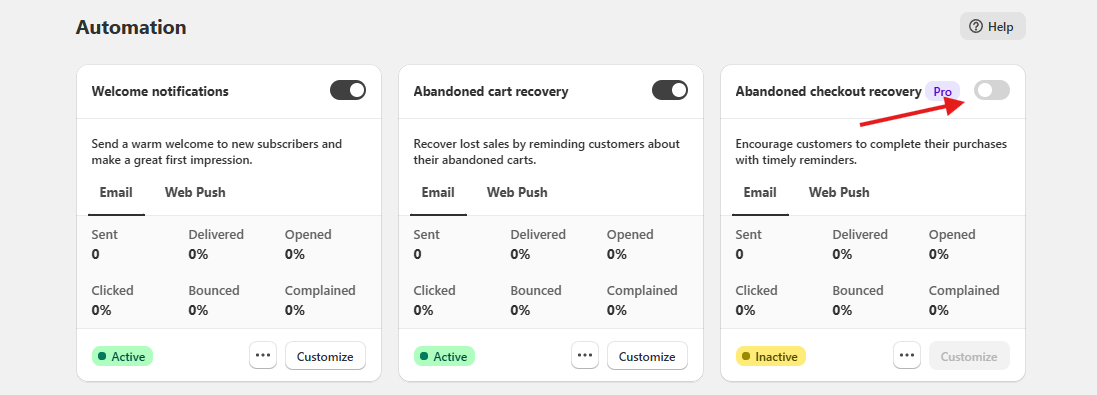
- Hit
Customizeto further edit the notification content, and delay time
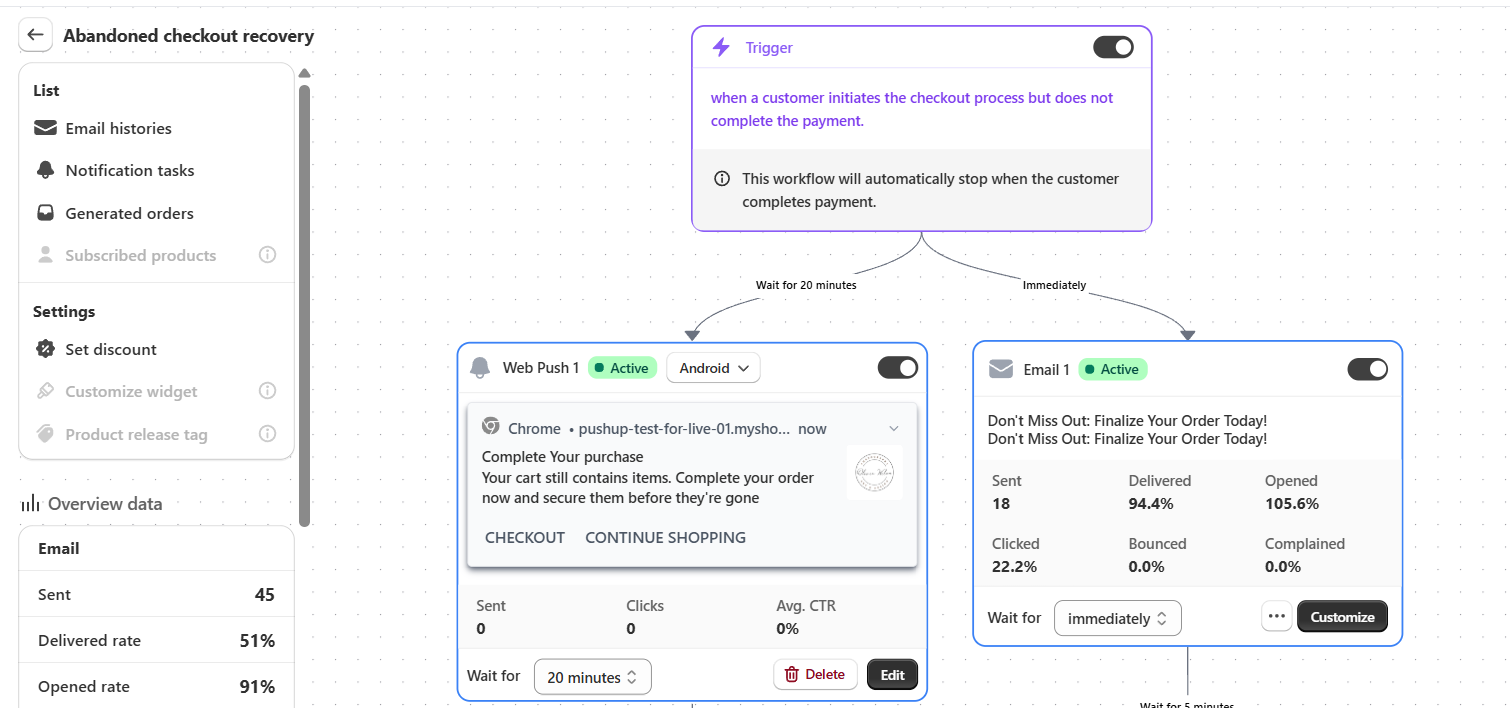
That is it! The notifications can now be sent automatically when properly triggered.