
Shipping confirmation
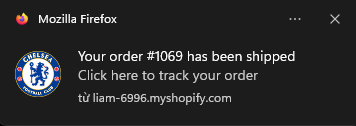
Customers want to know when their order ships. The shipping confirmation flow sends the tracking details by web push and email as soon as you fulfill the order.
Before you start
- Available on paid plans (Starter, Premium, Pro).
- To protect your sender reputation, the number of shipping emails per day has a limit. Contact support if your store needs more.
Set it up
- Go to Flows and click New flow.
- Under Update customers on their order status, choose Shipping confirmation · Standard and click Use this template.
- Review the messages, then click Save and Turn on.
How it works
When you fulfill an order in Shopify, the flow sends a push right away and the email 10 minutes later.
- Trigger: Order fulfilled.
- Re‑entry: every time — each fulfillment can send an update.
The push notification can include , , and a link to . The email can show the order's shipping and billing addresses with the Billing & Shipping block — see Event‑based items.
Tips
- If Shopify already sends your shipping confirmation emails, you may prefer to remove the email step here and keep only the web push notification.
Related
- Product review request — the natural next step after delivery