
Customer winback
Customers who bought once and then went quiet are cheaper to win back than new customers are to find. A winback flow reaches out after a set number of days without an order, with an offer that grows over time.
Before you start
- Only customers who have ordered before can enter — the flow counts the days since their last order.
- Available on paid plans (Starter, Premium, Pro).
Set it up
- Go to Flows and click New flow.
- Under Encourage repeat purchases, choose Customer winback · Standard and click Use this template.
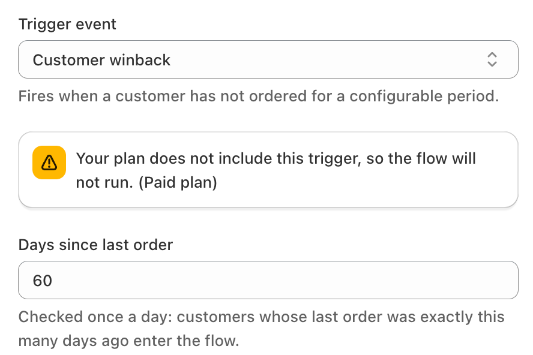
- In the trigger panel, check Days since last order (30 by default).
- Review the messages and discounts, then click Save and Turn on.
How the standard template works
| When | What is sent |
|---|---|
| 30 days after the last order | Push and email: "we miss you" |
| 15 days later (45 days) | Push and email with 10% off |
| 15 days later (60 days) | Last push and email with 20% off |
- Trigger: Customer winback — checked once a day. A customer enters on the day their last order is exactly the set number of days old.
- Exit when: the customer places an order.
- Re‑entry: a customer can start the flow again 90 days after their last entry.
Other versions
- Single offer — one push and one email with 10% off, after 60 days without an order.
- A/B test time delay — compares a first message at 30 days with one at 37 days.
Tips
- Match the timing to your products. For products bought every month, 30 days is right; for furniture, try 180 days or more.
- Several winback flows can run side by side with different day settings, for example 60 days and 180 days.
- A flow turned on today only reaches customers who reach the set number of days from now on — customers who passed it earlier are not included.