
Blocked Domains
Some email addresses should never reach your list. Disposable-mail services exist so people can claim a discount and vanish, and a popup left running long enough will collect a steady trickle of them.
Every one of those addresses costs you. They count toward your sending volume, they never open anything, and the ones that bounce damage the sender reputation your real emails depend on.
Blocked domains lets you name a domain and have Uppush treat every address on it as junk.
Find it under Settings → Blocked domains.
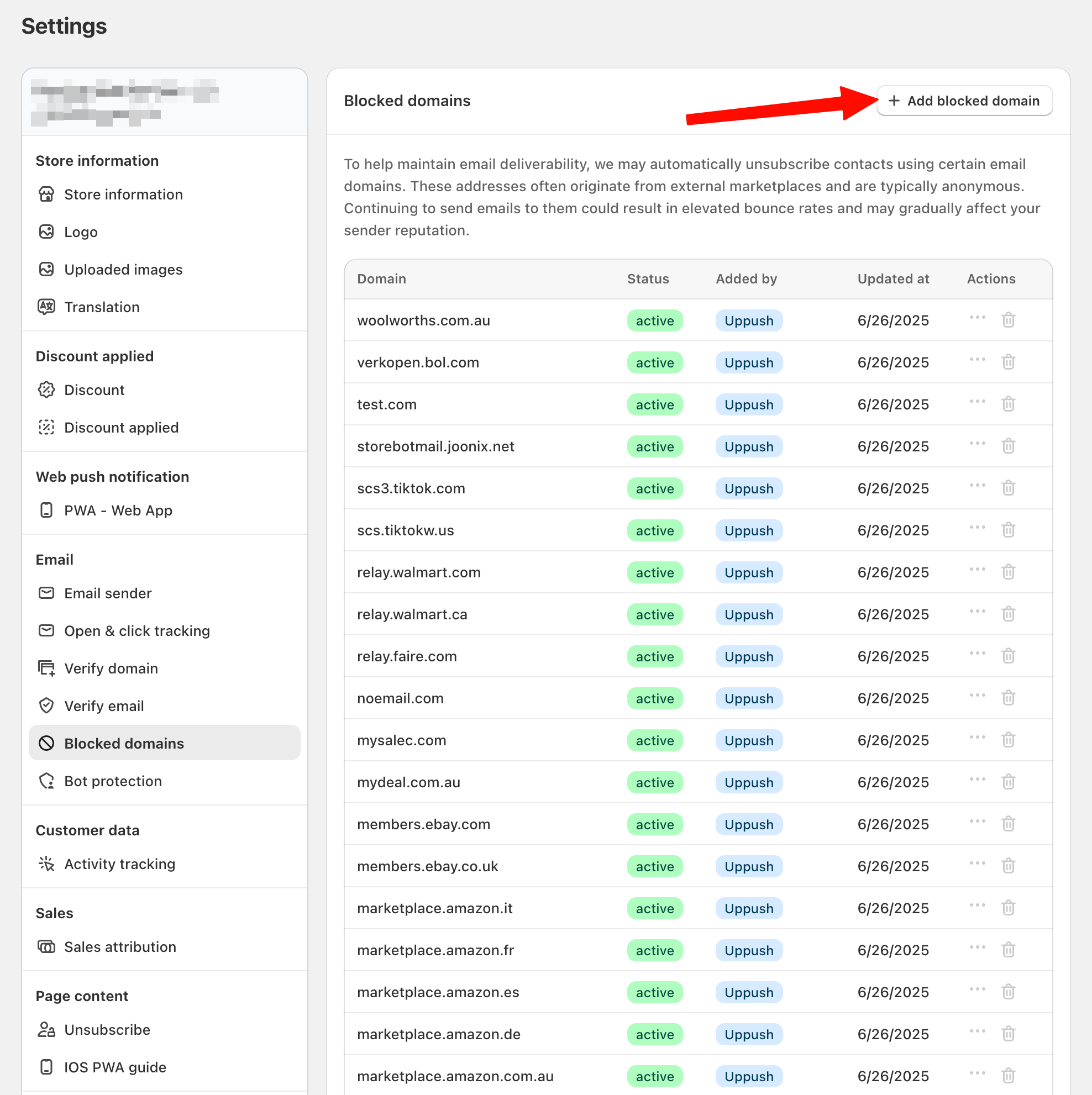
What Uppush already blocks for you
Before you add anything, know that a lot is filtered automatically. Uppush flags an address as junk when it:
- Starts with an obvious placeholder —
test@,example@,fake@,sample@,noreply@,invalid@ - Contains a misspelling of a major provider —
@gmal,@gamil,@gmaill,@hotmal,@hotmai.co,@yaho.,@yahooo,@icloydand a long list of similar typos - Contains non-ASCII characters, which a real address in a Latin-script store almost never does
So you only need this list for domains the automatic filter cannot guess at — usually a disposable-mail service that has started showing up in your signups.
Add a domain
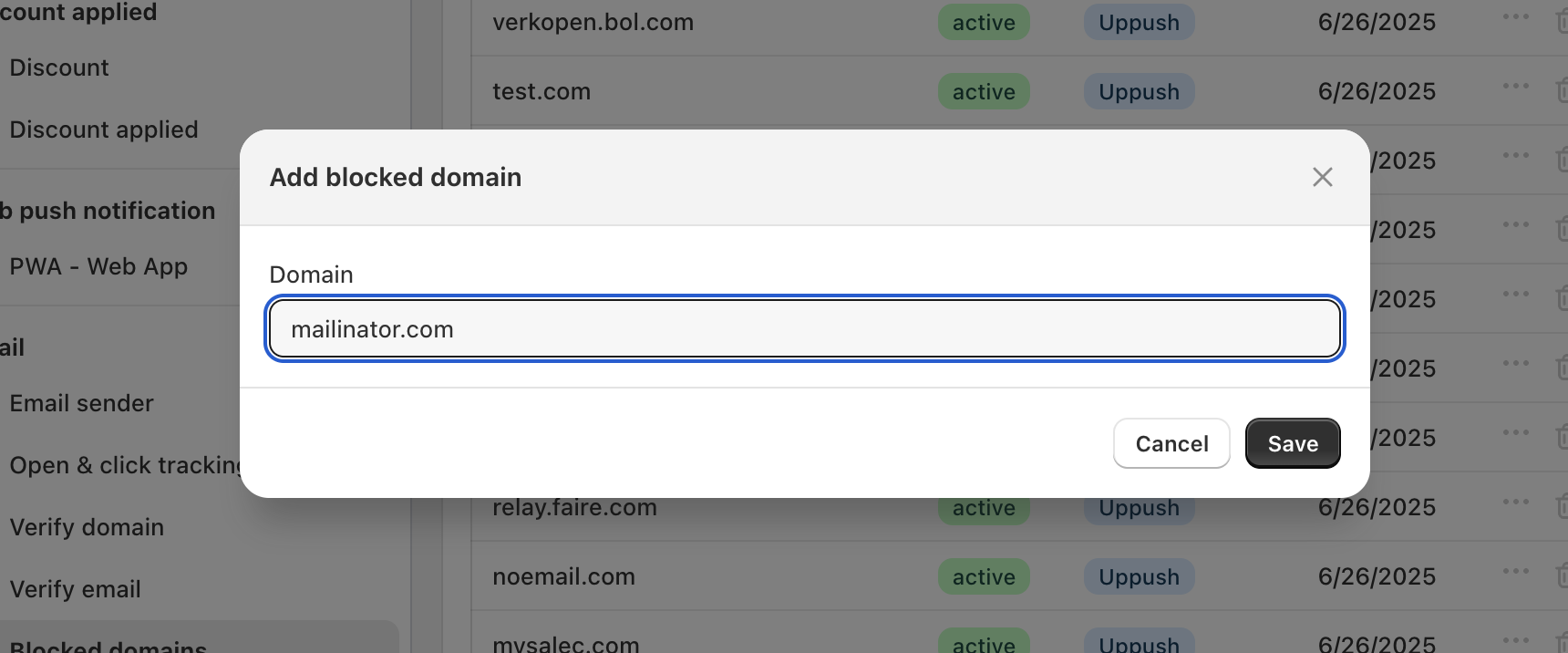
- Click Add domain.
- Enter the domain only, without the
@:mailinator.com, not@mailinator.com. - Save.
Every address ending in @mailinator.com is then treated as junk.
You can switch a domain off without deleting it. That is useful when you are not sure a domain is really a problem — turn it off, watch, turn it back on if the junk returns.
What happens to blocked addresses
A matching contact is marked as junk rather than deleted. The practical effect:
- They are excluded from email segments, so campaigns sent to a segment skip them.
- They stay visible in your subscriber list, so you can see what is being caught.
- Nothing already sent is undone.
How to find the domains worth blocking
Open your subscriber list and sort by newest. Junk signups arrive in bursts and usually share a domain, so a handful of unfamiliar domains appearing in a short window is the pattern to look for.
Before blocking, be sure it is not a real business: a company running its own mail server looks unfamiliar too, and blocking it silently loses you a customer.
Notes
Block domains, not addresses. The list works on the part after the
@. Blocking a single address is not what this is for.Never block a major provider.
gmail.com,outlook.com,yahoo.comand similar are where most of your real customers are. The typo variants are already handled automatically.This is not bot protection. Blocking domains cleans up after junk has already arrived. To stop automated signups reaching your popup in the first place, see Protect your popups from bot signups.
Blocking is not retroactive in the way you might expect. Contacts collected before you added the domain are re-checked as they are processed, but the cleanest way to deal with a batch already on your list is to remove them directly.
Troubleshooting
A real customer says they never receive your emails.
Check whether their domain is on this list, and whether it is switched on. A company domain blocked by mistake produces exactly this symptom, with no error anywhere.
Junk signups continue after blocking the domain.
Disposable-mail services run dozens of domains and add new ones constantly, so blocking them one at a time is a losing race. Add a captcha to the popup instead — see Bot protection.
Nothing was caught by a domain I added.
Check for a stray @ or a typo, and confirm the entry is enabled. The match is on the exact domain: mail.example.com and example.com are two different entries.