
New product launch
Let every subscriber know as soon as a new product arrives. You decide which products are announced by adding a tag to them in Shopify.
Before you start
- Available on the Pro plan, and campaign sending must be enabled for your store. If the template shows Campaign sending must be turned on for your store to use this flow, contact support.
- This flow messages all your subscribers each time a tagged product is published, so plan your tags with care.
Set it up
- Go to Flows and click New flow.
- Under Remind customers to purchase, choose New product launch and click Use this template.
- In the trigger panel, check the Product tag. It is
uppushby default. - Review the messages, then click Save and Turn on.
Announce a product
- In your Shopify admin, create the product.
- In Tags, add the exact tag set in the flow (for example
uppush). Upper and lower case do not matter, but the whole tag must match —uppush‑newdoes not matchuppush. - Set the product status to Active and save.
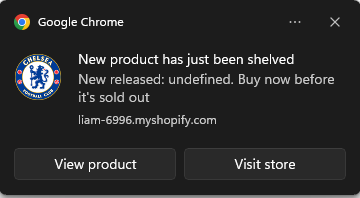
The flow then sends a push to every web push subscriber and an email to every email subscriber.
- Trigger: Product created, with the product tag filter.
- Only new, active products are announced. Adding the tag to an existing product does not announce it.
Tips
- Use a different tag per flow if you want different announcements — for example one flow for
new-arrivaland one forlimited-edition. - Add subscriber filters to announce a product only to part of your audience, for example customers in one country.