
Abandoned checkout recovery
A shopper who reaches checkout is very close to buying. An abandoned checkout flow reminds them with a link that takes them straight back to their own checkout, with the products, address and shipping already filled in.
Before you start
- Email reminders work for any checkout with an email address — Shopify provides it, so the shopper does not need to subscribe to your popup.
- Web push reminders only reach shoppers who allowed notifications from your store.
- Available on paid plans (Starter, Premium, Pro).
Set it up
- Go to Flows and click New flow.
- Under Prevent lost sales, choose Abandoned checkout reminder · Standard and click Use this template.
- Review the messages and the timing, then click Save.
- Click Turn on.
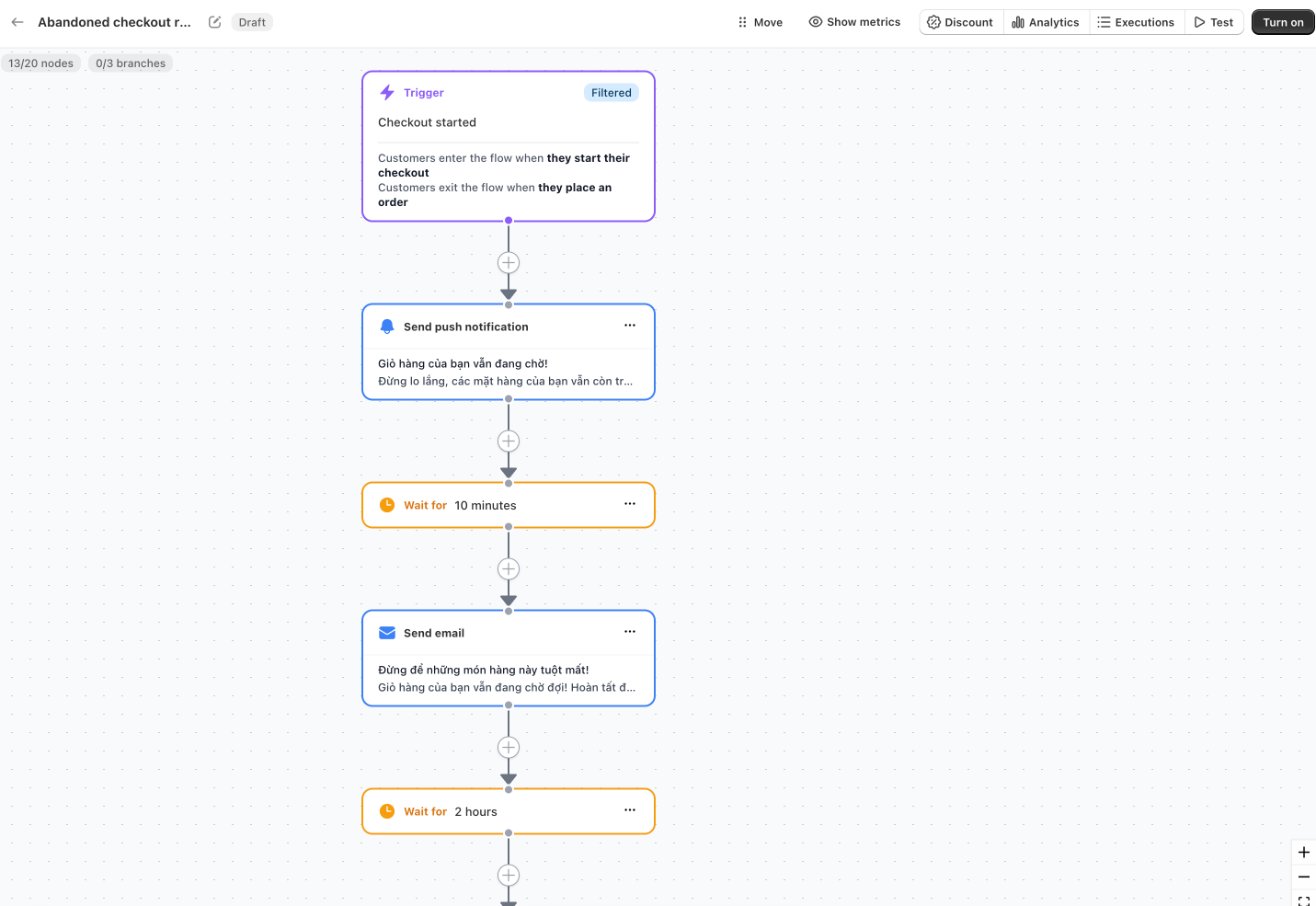
How the standard template works
| When | What is sent |
|---|---|
| As soon as the checkout has been left unfinished for 15 minutes | Push, then email 10 minutes later |
| 2 hours later | Push and email |
| 1 day later | Last push and email |
- Trigger: Checkout started, with the filter Total is greater than 0. A checkout only starts the flow if it is still not completed 15 minutes after the shopper's last activity.
- Exit when: the shopper places an order.
- Re‑entry: a shopper can start the flow again 7 days after their last entry.
The push notification links to — the shopper's own checkout — and the email includes the abandoned products.
Other versions
- High vs. low value cart — only checkouts of 100 or more (in your store currency) receive discounts.
- New vs. returning customer — first‑time shoppers get an offer, returning customers get simple reminders.
- A/B test timing — compares reminding right away with reminding one hour later.
See the template library.
Recover a checkout by hand
You can also send a single checkout to your flow yourself:
- In the Uppush app, click Abandoned Checkout in the top bar.
- Find the checkout and click Recover (or Recover all). The checkout is sent to your active abandoned checkout flows.
The flow's rules still apply — filters, re‑entry and the sending window — so the shopper may be skipped. A checkout updated less than 15 minutes ago enters your flow by itself if it is not completed.
The same action is available from the abandoned checkout page in your Shopify admin and as an action in Shopify Flow ("Recover abandoned checkout").
TIP
If no abandoned checkout flow is turned on, the recover button asks you to enable one first.
Tips
- Offer the discount later, not first. Many shoppers come back after the first reminder without any incentive. The High vs. low value cart version keeps discounts for the carts that matter most.
- Do not double up with cart reminders. Your abandoned cart flow stops when checkout starts, so the two flows hand over to each other.