
Open & Click Tracking
To know that an email was opened, or a link inside it was clicked, something has to be measured. Uppush does this by adding a tiny invisible image to each email and by routing every link through a tracking address before forwarding the reader to your store.
The setting here decides which domain does that routing, and whether it happens at all.
Find it under Settings → Open & click tracking.
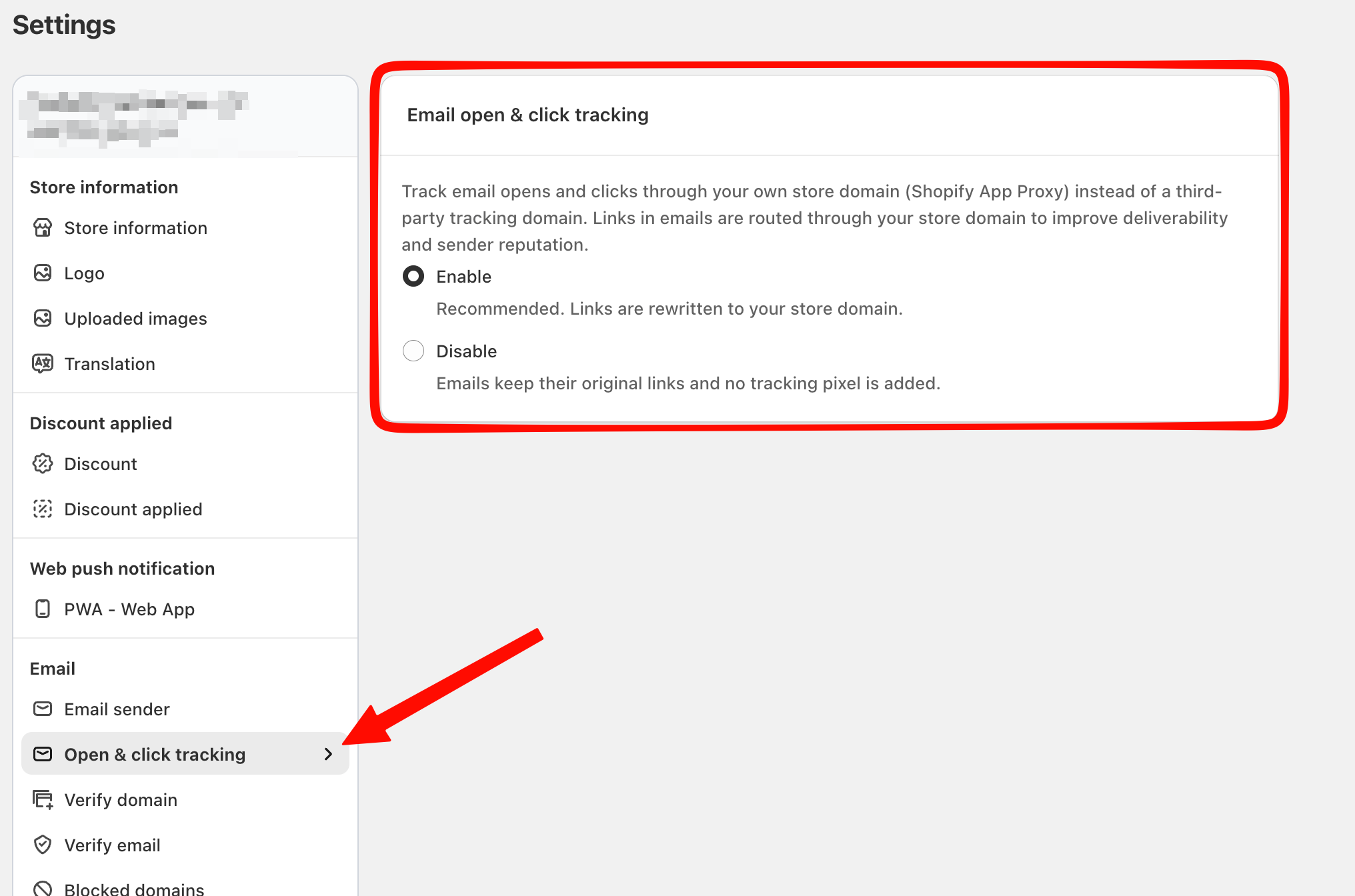
The two options
Enable (recommended, and the default)
Links and the open pixel are routed through your own store domain, using Shopify's app proxy.
A reader hovering over a link in your email sees your domain, not an unfamiliar one. Mailbox providers see it too — and a link whose visible domain matches the sending domain looks far less like phishing than one pointing somewhere else entirely. Spam filters weigh this, so it helps your deliverability and your sender reputation.
Disable
Emails go out with their original links untouched and no tracking pixel.
Nothing is measured, which means you lose:
- Open rate and click rate on every campaign and automation
- The Opened email and Click on email conditions in email segments
- Any sales attribution rule based on opens or clicks — see Sales attribution
- The winner selection in A/B test campaigns, which is decided on open rate
Only turn it off if you have a specific reason to send completely untracked email.
Notes
Open tracking has always been approximate. Mailbox providers that pre-load images — Apple Mail Privacy Protection in particular — register an open the reader never made. Click tracking is far more reliable. Where a decision matters, trust clicks.
The change applies to emails sent from that point on. Emails already in someone's inbox keep whatever links they were sent with, so reports for past campaigns do not change.
This is separate from domain verification. Verifying your domain controls who your email is from; this setting controls where the links inside it go. Both point at your own domain, and both help deliverability, but they are configured independently. See Verify custom domain & set up email sender.
Troubleshooting
Open rates look impossibly high.
Privacy features that pre-load images inflate opens across every email platform. Compare campaigns against each other rather than against an absolute target, and use click rate when you need a number you can act on.
Open and click rates dropped to zero.
Check whether this setting was switched off. If it is on, check that your store domain is reachable — the app proxy runs on your storefront, so a domain that has moved or a storefront password page will stop the routing from working.
A customer says a link in the email looked odd.
With tracking enabled the link goes through your own domain first, then forwards. That is expected. If it points at a domain that is not yours, the tracking setting is off and something else has rewritten the link.