
Sales Attribution
When a customer opens your campaign on Monday and orders on Wednesday, did the email cause the sale? There is no objective answer, so every marketing tool picks a rule and applies it consistently. Sales attribution is where you choose that rule for Uppush.
It decides one thing: which orders get counted as revenue in your campaign and automation reports.
Find it under Settings → Sales attribution. Email and web push are configured separately, because they rarely deserve the same window.
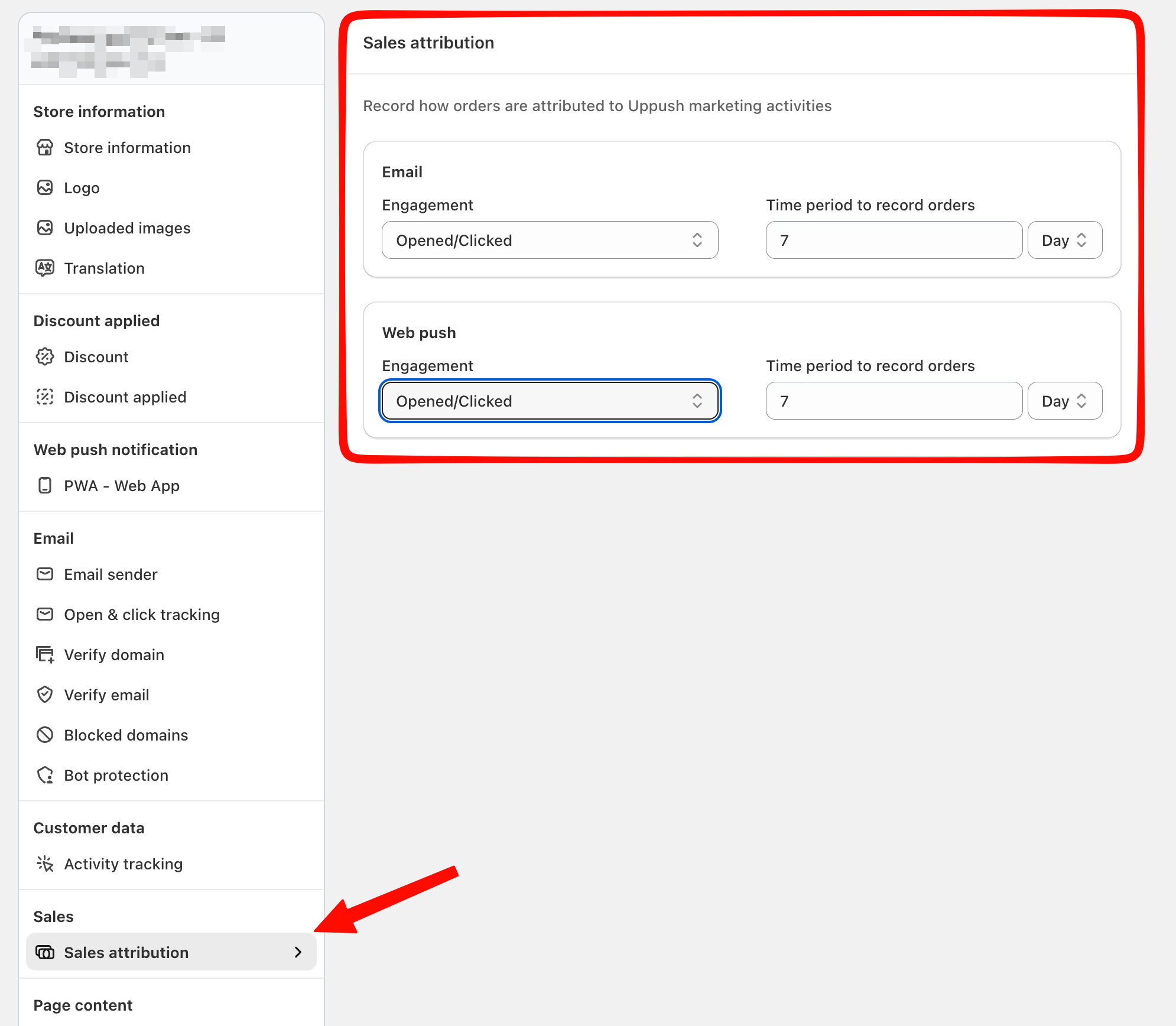
The two settings
Engagement
How much the customer had to do with the message before an order can be credited to it:
| Option | Counts an order when the customer... |
|---|---|
| Delivered, Opened, Clicked | Received the message at all |
| Opened, Clicked | At least opened it |
| Clicked | Actually clicked through |
Each step down the list is a stronger claim. "Clicked" means the customer demonstrably came from your message. "Delivered" credits Uppush for orders from people who may never have looked at it.
Time period to record orders
How long the window stays open after that engagement — a number, in hours or days.
An order placed inside the window counts. One placed after it does not.
Choosing a rule
There is no correct setting, only a trade-off between a number you can defend and a number that captures the full effect.
Clicked, within 1–3 days is the conservative choice. Almost every order it counts really did come from your message. It will under-report, because it misses the customer who read your email, thought about it, and came back through Google two days later.
Delivered, within 7 days is the generous choice. It captures that customer — along with plenty of people who would have ordered anyway.
If you have no strong opinion, start at Opened, Clicked with 7 days for email and something shorter for web push, where the intent is more immediate and the effect fades within hours.
Pick one and leave it alone
Attribution is applied when orders are matched, so widening the rule makes future reports look better than past ones for reasons that have nothing to do with your marketing. Changing it mid-quarter makes your own numbers impossible to compare. If you do change it, write down the date.
Notes
Attribution does not create revenue, it labels it. Your actual sales are unaffected — only the share of them Uppush claims credit for.
Email and web push are set independently. A customer reached by both can be credited to whichever channel their engagement matches; do not expect the two numbers to add up to your total store revenue.
The "Clicked" option depends on click tracking. If Open & click tracking is switched off, there are no opens or clicks to attribute against and only the "Delivered" rule can credit anything.
Troubleshooting
Reported revenue dropped sharply with no change in sending.
Check whether the engagement rule or the window was tightened. Narrowing either one reduces reported revenue immediately while actual sales stay the same.
Uppush revenue looks higher than it should.
You are probably on Delivered with a long window, which credits orders from anyone who received the message. Move to Opened, Clicked or Clicked for a figure you can defend.
An order I expected to be credited is missing.
Either it fell outside the window, or the customer's engagement did not reach the level your rule requires — for example the rule is Clicked and they opened without clicking.