
Verify Your Hostinger Domain
Step 1: Log In to Your Hostinger Account
- Go to Hostinger and log in with your credentials.
- Once logged in, you'll be redirected to your Hostinger Dashboard.
Step 2: Access the Domain Management Section
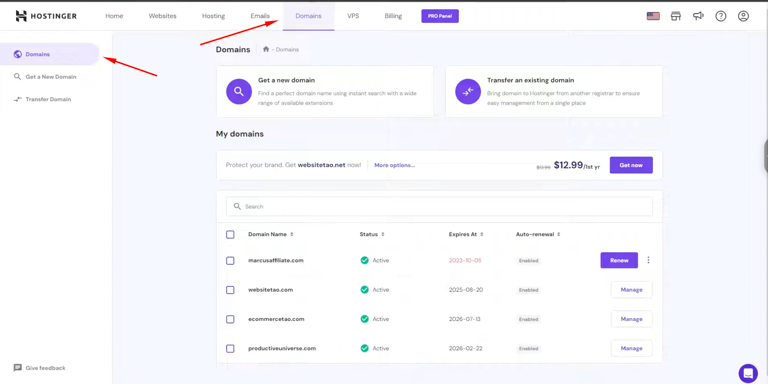
- From your Dashboard, navigate to Emails and select Domains.
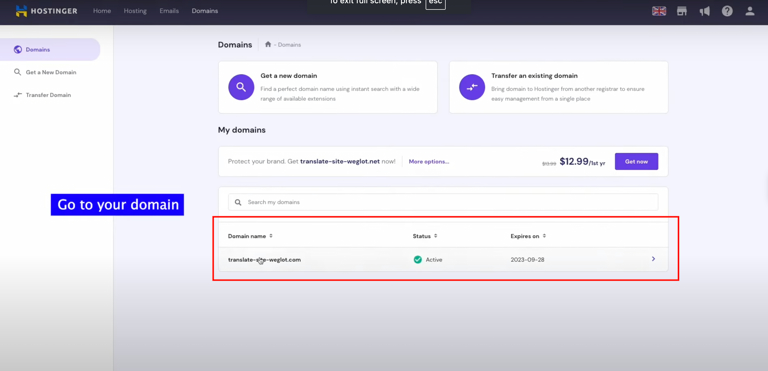
- Find the domain you want to configure and click on that domain.
Step 3: Open DNS Management
- After selecting he domain, you will be directed to the Domain Management page.
- Look for the DNS Name Servers section and click on it.
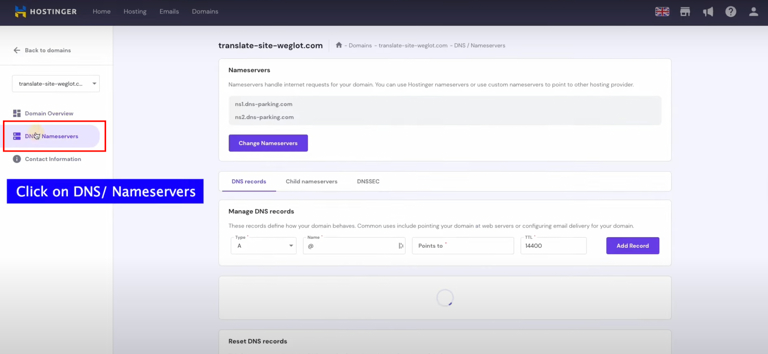
Here, you'll see all the available DNS records that you can modify for your domain.
Step 4: Add SPF, DKIM, and DMARC Records
SPF Record (Sender Policy Framework):
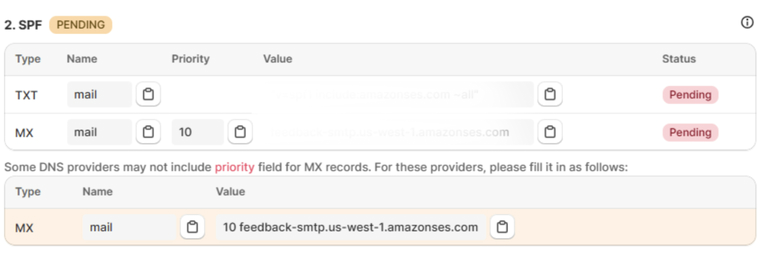
SPF helps verify that the email is sent from an authorized server. To add this record, scroll down to Manage DNS records.
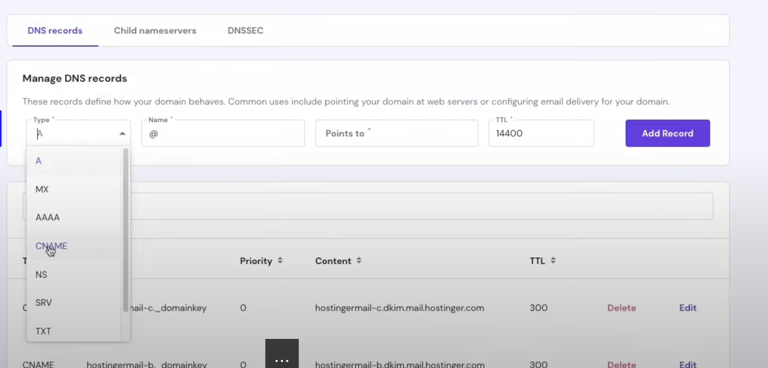
- Enter the SPF record provided by Uppush. It should look like:
- Leave TTL as default.
- Click Add Record.
- DKIM Record (DomainKeys Identified Mail):
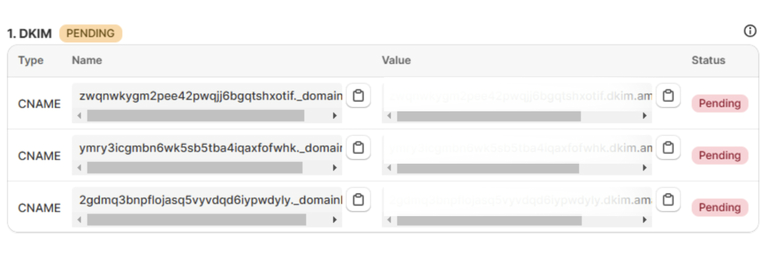
DKIM helps verify the authenticity of your emails by ensuring they haven’t been tampered with during transit. To add this record:
- Enter the DKIM records provided by Uppush (for example):
- Leave TTL as default.
- Click Add Record.
- DMARC Record (Domain-based Message Authentication, Reporting & Conformance):
DMARC helps to define how email receivers should handle emails that fail SPF or DKIM checks. To add this record:
- Paste the DMARC record provided by Uppush (for example):

- Leave TTL as default.
- Click Add Record.
Step 5: Verify DNS Records in Uppush
- After adding the SPF, DKIM, and DMARC records in Bluehost, go back to the Uppush app.
- Navigate to the Verify Domain section in Uppush.
- Click on the Check DNS button to verify if the DNS records have been added successfully.
- It may take a few minutes for the DNS records to propagate, but if everything is configured correctly, the status will show as Verified.
Step 6: Edit or Delete DNS Entries
- You can edit or delete the DNS records at any time by going back to the DNS & Name Servers section in Hostinger’s Domain Management panel.
- Make sure to save any changes and verify that the updated records are correct.